On the morning of November 12 I watched two YouTube videos about making animated videos with code and Claude. My first reaction was the usual one: "Come on, AI can do this now too? Gotta try it!" So I asked Claude directly: "I heard you make decent animated videos, from code into web animation. Is that true?"
Sixty-six minutes later I had a 72-second launch video for TribeSync on my laptop, in two versions, 30 and 60 fps. I didn't open a video editor once.
How it works: a web page recorded into a video
You don't need a video editor at all. The whole video is an animated web page, and a script records it frame by frame into an MP4. When something needs to change, you edit the page and record it again.
Technically, it's a single index.html file of 76 KB: the scene markup, the styles and one function, renderAt(t), which puts every element where it should be at a given second. No CSS animations, no timers, just plain JavaScript.
That one decision gives you three things at once:
- A preview in the browser with pause, rewind and frame-by-frame stepping. Open the file and a control panel appears at the bottom: scene list, time slider, space bar to pause, arrow keys to step.
- A clean render. A script calls
renderAt(frame / fps)for every frame and takes a screenshot. No dropped frames, no timing drift. - Edits without collateral damage. Fixing one scene doesn't touch the others.
There are no libraries in it. Plain HTML, CSS and JavaScript. The 3D look comes from CSS transforms with perspective, and the camera moves along a Catmull-Rom spline so it doesn't stop dead at every key point. The motion skill I used says it plainly: when plain HTML and your own timeline can do the job, don't pull in Remotion or another framework by default.
What I started with
- Two YouTube videos. One showed Claude Code with FFmpeg, a "skill file" where the style is set in numbers, and a browser preview before the final render. The other walked through the vizavi_motion skill in four stages.
- The vizavi_motion skill, v1.6.1, downloaded from vizavi.academy. It's 11 text files: the main SKILL.md plus references on motion and sound, storyboarding, review and export, product UI animation, 3D and image sources. No scripts at all. It's a set of instructions, not a tool.
- A script I wrote in July for the TribeSync launch kit: about 70 seconds, voice-over in English and Russian.
- The TribeSync repository itself (Next.js 16, Tailwind 4).
My question to Claude was simple: can we take the interface straight from the project instead of drawing it again?
The interface came from the code, not from screenshots
Yes, we could. Nothing in the video was redrawn by eye or captured as a screenshot.
| On screen | Taken from |
|---|---|
| Colors, corner radii, font sizes, copy rules | DESIGN.md and the landing page UI tokens |
| Landing page, hero, trust bar, "Money" block | the landing page component and messages/en.json |
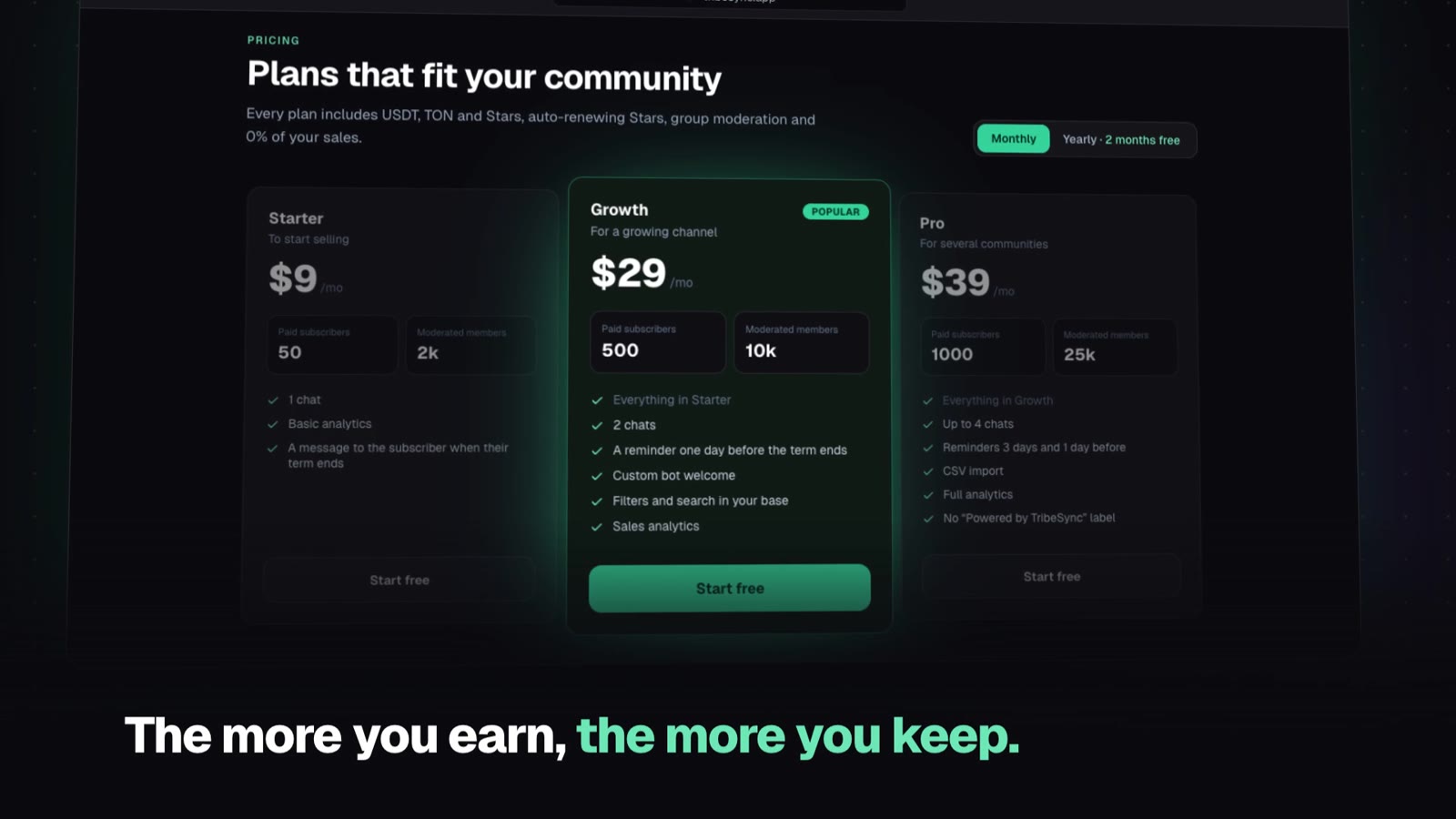
| Plans and prices ($9, $29, $39) | the pricing section and lib/plans.ts |
| Three-step setup wizard, buyer's chat | the same flow screens that animate on the landing page |
| Moderation and analytics | simplified versions of the Mini App dashboard |
| Logo, Geist font | the brand mark component and the font file from Next.js |
Making videos this way is a real pleasure. If the price changes, I change it in one place and run one command. The video can't drift away from the product, because it's built from the product.
Four blocks, one phone
We built the video block by block, and I approved each one before Claude moved on.
| Block | Time | What happens |
|---|---|---|
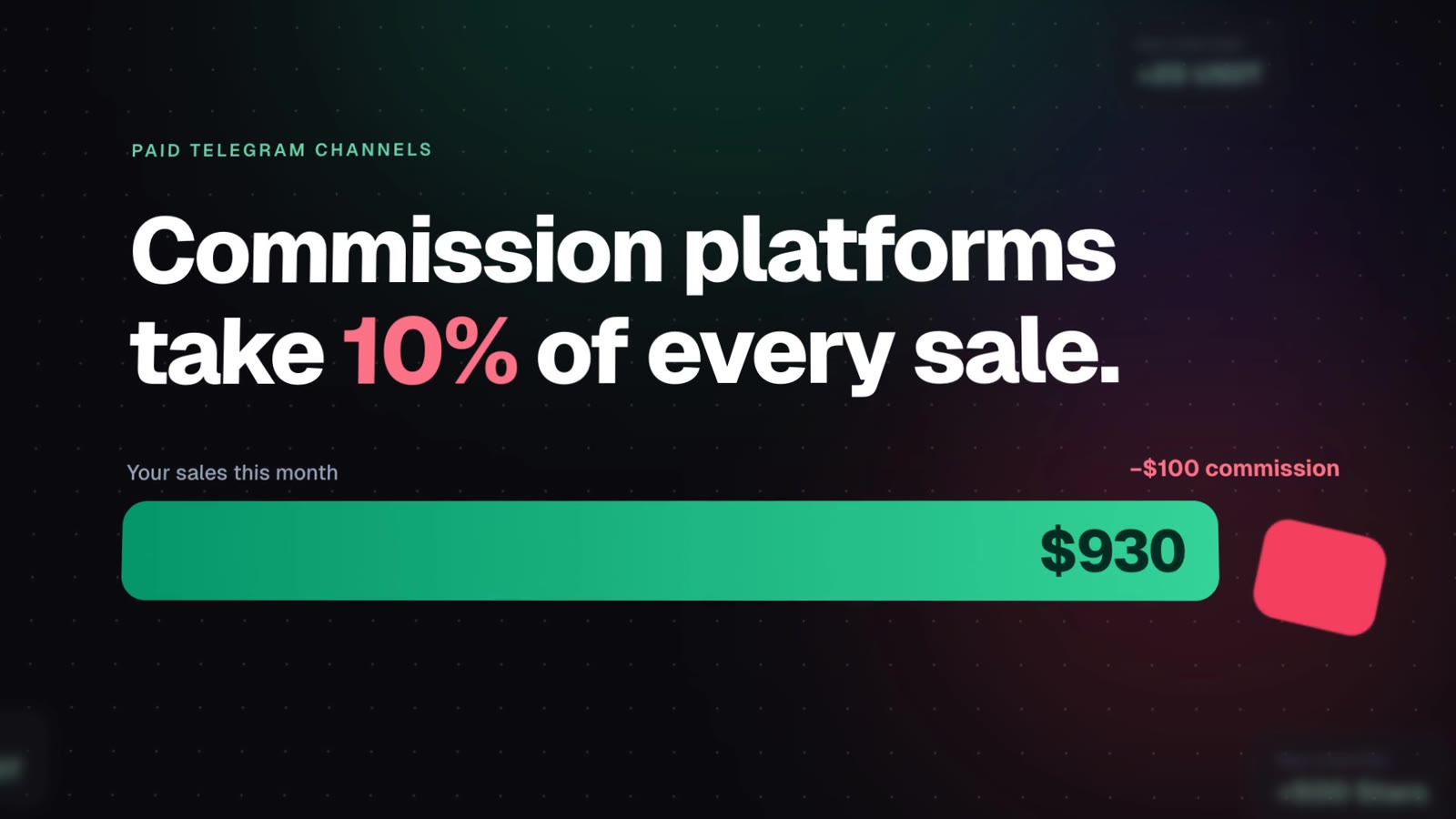
| 1 | 0:00 to 0:18 | A $1,000 sales bar loses a 10% chunk to commission. The headline flips to "TribeSync takes 0% of your sales" and the chunk snaps back. Then the landing page in a browser window, scrolling down to the plans. |
| 2 | 0:18 to 0:38 | A phone with the Mini App setup: create the bot, connect the channel, set a price. Three results fold into one link for buyers. |
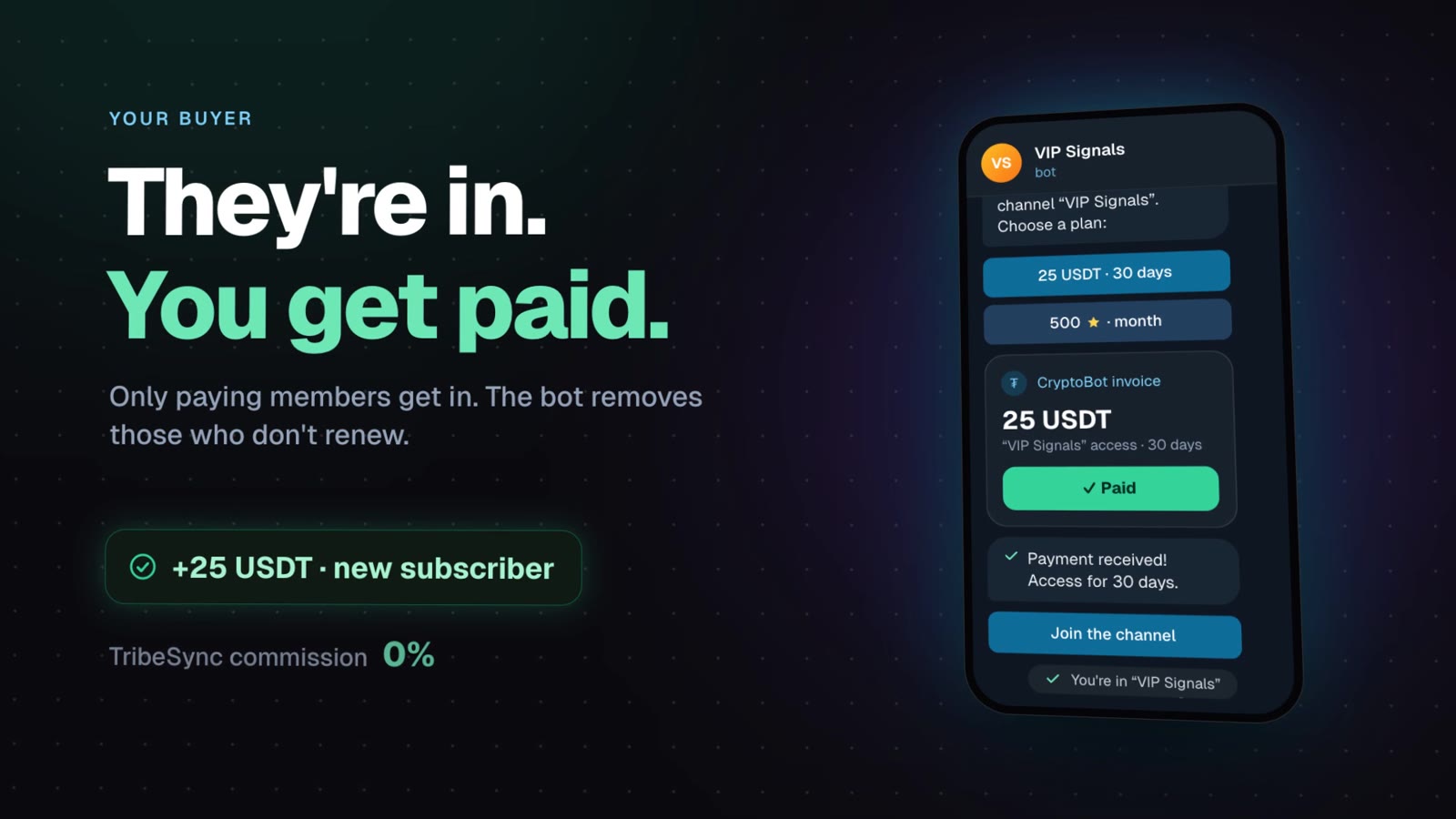
| 3 | 0:38 to 0:52 | The phone flips and becomes the buyer's Telegram: /start, pick a plan, a 25 USDT invoice, payment, access to the channel. |
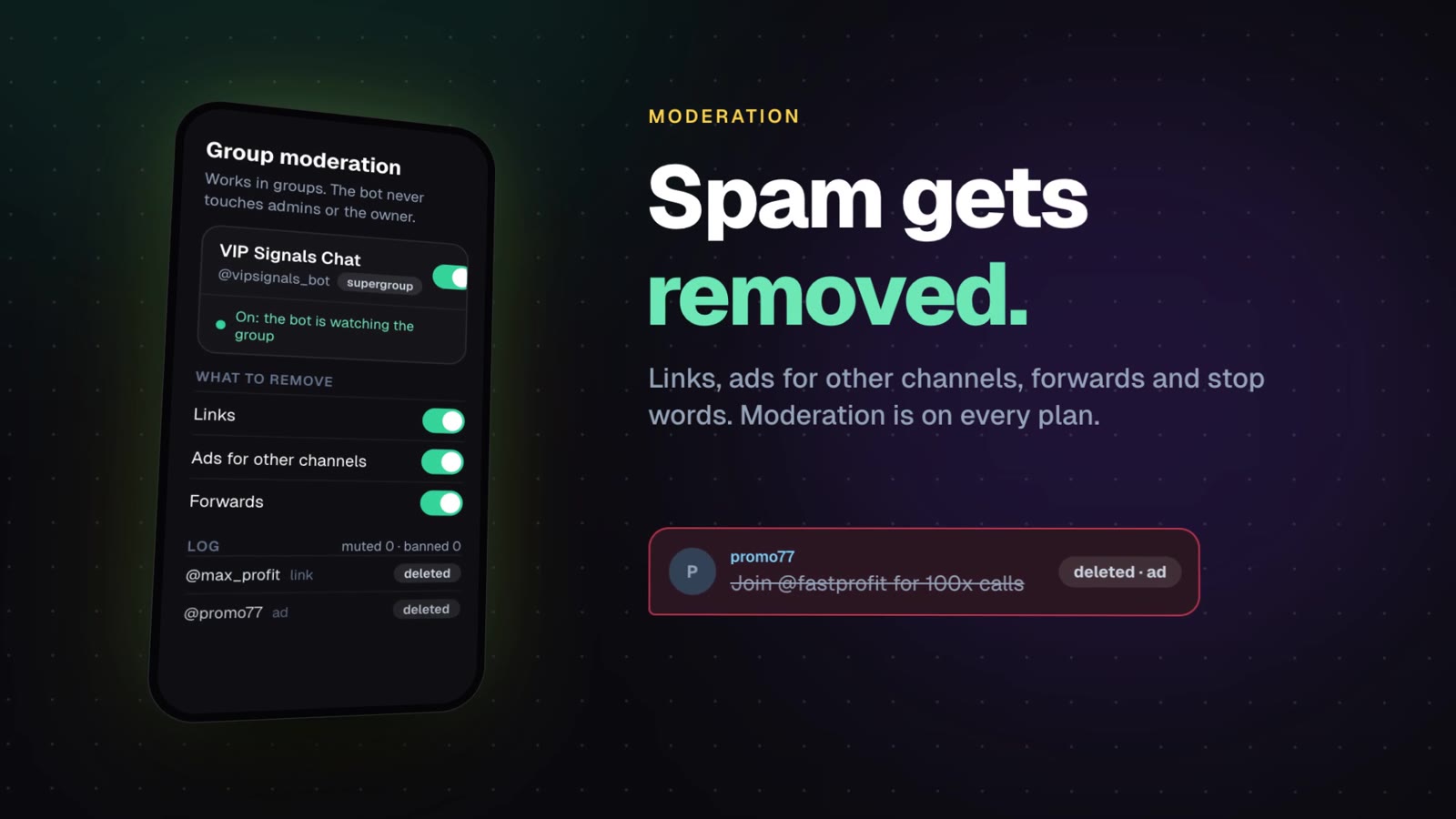
| 4 | 0:52 to 1:12 | Spam flies in and gets crossed out, analytics, "money goes straight to you", final card. |
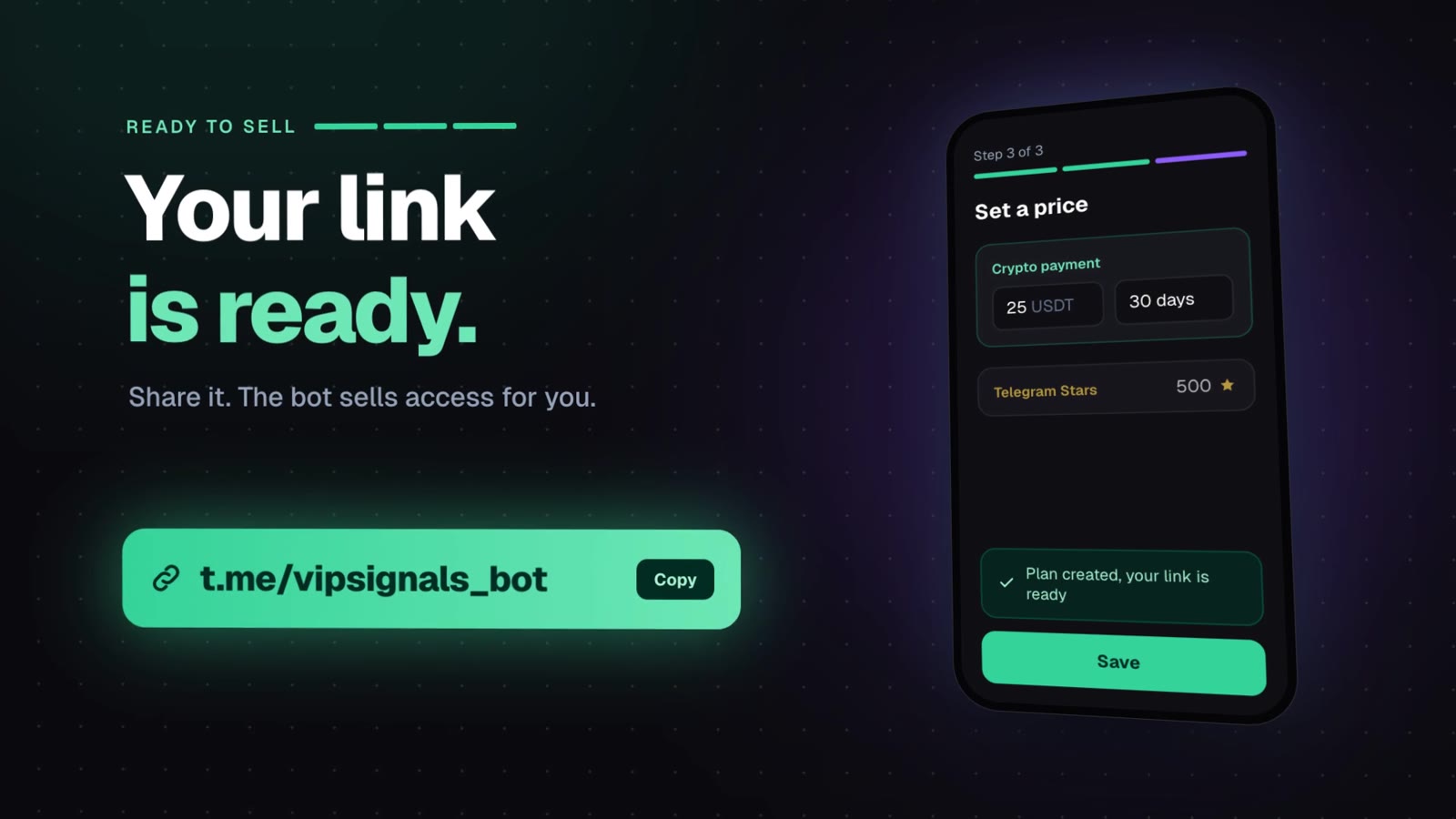
A few things hold it together. The same phone travels through blocks 2, 3 and 4 and changes its content with a flip. The accent color follows the product's design system: violet for the channel owner, light blue for the buyer, amber for moderation, emerald for money. And the pacing sits on a 100 BPM grid, so music can land on the same accents later. As a musician, I liked that one a lot.
Who decided what
I made the product calls:
- Crypto first, Telegram Stars second. My July script had it the other way round.
- Captions always, even after a voice-over is added.
- Simplified screens instead of the real ones. At video speed, the simplified versions read better than the real interface.
- Start with one block, approve the style, then do the rest.
Claude departed from my script in four places, and I agreed with all of them:
- No competitor names in captions. "Same toolkit as Tribute or InviteMember" became "The same paid-access toolkit, without the cut."
- The setup steps follow today's product, not the July script. The product changed in three and a half months.
- No "You receive 25 USDT". CryptoBot charges its own processing fee, small as it is, so the caption only says "TribeSync commission 0%".
- The final line comes from the landing page ("7 days free, no card needed").
That third one is the fact-checking habit from my content pipeline leaking into video. I'm fine with that.
What went wrong
This is the most useful part, so I'm keeping it.
- The storyboard got skipped. The skill asks for 3 to 5 options per scene and a full storyboard before building anything. Claude picked one idea per scene on its own and went straight to code. I noticed and asked: "are you actually using the skill I downloaded?" After that, the storyboard went into a file, with the options considered for every block.
- Two rulebooks got mixed up. I remembered that the storyboard comes at the end and scene previews come first. The skill says storyboard first. The preview-before-render idea came from the first YouTube video. In the end we used both.
- A stale file. After block 2, Claude told me everything was in the folder without checking. On disk I still had block 1. My reply: "I still have the same index." From then on, every file write was checked on disk by size and content.
The numbers
- Video length: 72 seconds, 4 blocks.
- From first question to finished MP4 files: 66 minutes.
- Frames: 2,160 at 30 fps, 4,320 at 60 fps.
- Render on my MacBook Air M5: 65 seconds for 30 fps, 123 seconds for 60 fps.
- For comparison, in Claude's cloud sandbox with two cores, 120 frames took 20 seconds, so the full video would have taken about six minutes.
- Dependencies: 22 packages, installed in 19 seconds.
How I render it myself
The render script opens the page in headless Chrome through Playwright, calls renderAt for each frame, takes a JPEG and pipes it into FFmpeg, which encodes H.264. FFmpeg comes with the dependencies, so there's nothing extra to install.
npm install          # once
npm run render       # 30 fps
npm run render60     # 60 fps
node render.mjs --from 18 --to 38 --audio voice.mp3 --out out/block2.mp4
The last line renders only seconds 18 to 38 with a sound file on top, which is handy when you fit a voice-over block by block.
The workflow I'd reuse
- Script.
- Storyboard with options for every scene, written to a file.
- One short block, previewed in the browser.
- Fixes until the style is right.
- The remaining blocks, one at a time.
- Local render.
Also: tell your AI to check its own files on disk before it says "done". It saves arguments.
What's in the video that isn't real
The demo bot "VIP Signals", @vipsignals_bot and the 25 USDT price come from the animation on the TribeSync landing page. They're not a real customer. The analytics numbers and the spam messages are made up for the demo. The $1,000 minus $100 example illustrates a 10% commission, not anyone's real sales.
What's next
The version above already has a voice-over, made with a Google AI voice, and it's the first video on my new YouTube channel. Music on that 100 BPM grid is still on the list, and I'll write about the sound part separately.
On November 17, TribeSync launches on Product Hunt, and this video goes with it.
If you want to see the product the video is about, it's TribeSync.